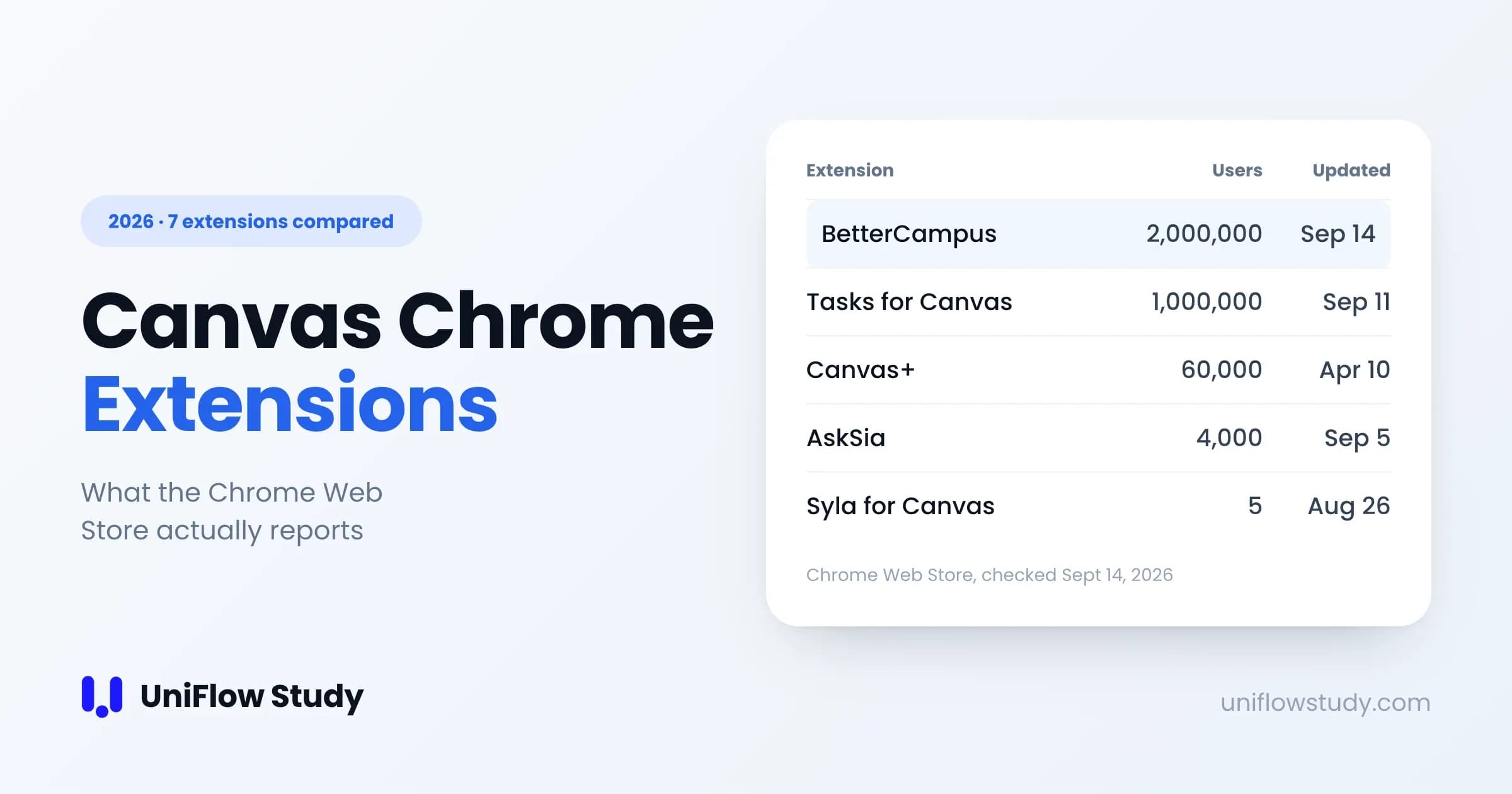
We compared the Chrome Web Store listings for seven Canvas extensions. Which one you want depends entirely on what annoys you about Canvas:
- Canvas looks bad and the dashboard is useless → BetterCampus (2,000,000 users)
- You keep missing assignments → Tasks for Canvas (1,000,000 users)
- You want themes and faster navigation, nothing else → Canvas+ (60,000 users)
- You want a GPA card and custom grade weighting → CanvasGradesPro (347 users)
- You only want to know what score you need → Canvas Grade Calc (32 users)
- You want AI to read your course files → AskSia (4,000 users)
- You want your Canvas courses inside ChatGPT → Syla for Canvas (very new — 5 users; read the table before you rely on it)
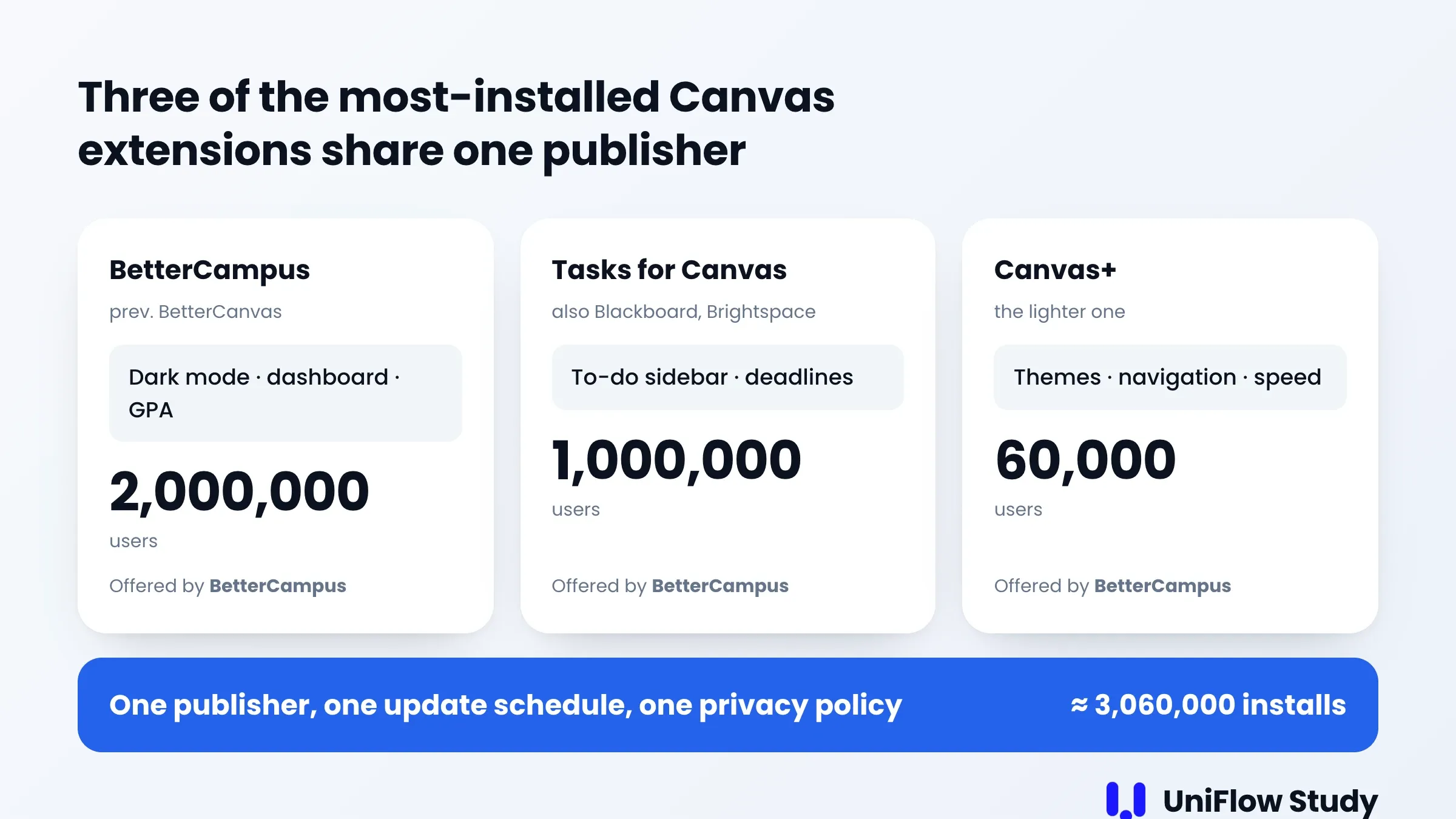
Two things the other lists don't mention. Three of those seven — BetterCampus, Tasks for Canvas and Canvas+ — are published by the same developer, and together they account for roughly three million installs. And the grade-calculator category is nearly empty: the two options above have 347 and 32 users respectively, which says something about how underserved the most common Canvas question is.
Quick answer: by what you're trying to fix
- "Canvas hurts my eyes and I can't find anything." Install BetterCampus. Dark mode, custom dashboard cards, and a GPA readout. It's the default choice for a reason.
- "I found out about an assignment the day it was due." Install Tasks for Canvas. It puts a to-do sidebar on every Canvas page, grouped by week.
- "I just want it to look better and load faster." Canvas+ is lighter than BetterCampus and does less on purpose.
- "What do I need on the final to keep my B?" A grade calculator extension. Canvas has a what-if feature built in, but it's buried and it stops helping when your instructor hides totals.
- "I want to ask questions about my readings." AskSia syncs your course files into its own AI workspace.
- "I already live in ChatGPT." Syla pipes your Canvas courses into it — but it's five users old, so treat it as an experiment.
The comparison
Figures below are from each extension's Chrome Web Store listing, cross-checked against chrome-stats.com on September 14, 2026. Google rounds install counts above 1,000, so the large numbers are orders of magnitude; the small ones (347, 32, 5) are exact.
| Extension | Best for | Users | Rating | Last updated | Price |
|---|---|---|---|---|---|
| BetterCampus (prev. BetterCanvas) | Dark mode, dashboard, GPA | 2,000,000 | 4.7 (4,377 ratings) | Sep 14, 2026 | Free |
| Tasks for Canvas | To-do sidebar, deadlines | 1,000,000 | 4.6 (701 ratings) | Sep 11, 2026 | Free |
| Canvas+ | Themes, navigation, speed | 60,000 | 4.0 (33 ratings) | Apr 10, 2026 | Free |
| CanvasGradesPro | GPA card, custom weighting | 347 | 5.0 (3 ratings) | May 20, 2026 | Free |
| Canvas Grade Calc — What Do I Need? | One question: what score do I need | 32 | 5.0 (1 rating) | Apr 16, 2026 | Free |
| AskSia | AI over your course files | 4,000 | 5.0 (10 ratings) | Sep 5, 2026 | Free tier |
| Syla for Canvas | Canvas courses inside ChatGPT | 5 | No ratings yet | Aug 26, 2026 | Free tier; Pro $9/mo |
← Swipe to see the full table →
A low install count isn't a verdict — every extension started at zero. It's a maturity signal. An extension with five users has not been tested against hundreds of different school Canvas configurations yet, and yours might be the one that breaks it.
The thing nobody mentions: three of these share a publisher
Open the Chrome Web Store listing for BetterCampus, then Tasks for Canvas, then Canvas+, and look at the "Offered by" line. All three say BetterCampus.
That isn't a scandal — the work is good and all three are free. BetterCanvas was renamed BetterCampus, and Tasks for Canvas now supports Blackboard and D2L Brightspace as well as Canvas.
But it does undo a piece of common advice. "Install a couple of different extensions so you're not dependent on one" doesn't do what you think here. Three of the most popular Canvas extensions mean one publisher, one update schedule, one privacy policy, and one answer if Chrome ever pulls a listing. If you want genuine independence, your second tool has to come from somewhere else.
Four things to check on a listing
1. Users. Google rounds counts above 1,000, so read the big numbers as an order of magnitude rather than a headcount. Below 1,000 they're exact — which is why "5 users" is worth pausing on.
2. The number of ratings, not just the rating. 5.0 from 10 people and 4.7 from 4,377 people are not comparable. The second one has survived contact with real schools.
3. Last updated. This is the one students skip and it's the most predictive. Canvas ships changes constantly, and every extension here works by modifying Canvas pages after they load. Two of the seven were updated within the past week; three haven't been touched since spring. If your school updates its Canvas theme, guess which ones break.
4. Permissions. Chrome shows these at install, and they're the one item on this list that isn't a number. An extension that only needs to work on Canvas should be asking for access to your school's Canvas domain, not for access to every site you visit.
One habit worth building on top of those four: read the store listing, not the marketing page. A vendor's own site may count users across browsers, across products, or across a whole platform. The store listing counts installs of that one extension, and Google is the one doing the counting. When the two disagree, you at least know which number is measured and which is claimed.
Three things no Canvas extension here does
This isn't a knock on any of them. Two are deliberate design choices, one is structural.
1. They stop at the edge of Canvas. An extension can read Canvas well — with your logged-in session it can call the Canvas API across all your courses, which is exactly how Tasks for Canvas builds its weekly list. What it can't reach is anything that isn't in Canvas: what your professor said out loud, the notes on your laptop, the PDF a TA emailed you.
2. They don't record the lecture. This one is a choice, not a limit — Chrome does support background audio recording from an extension, via an offscreen document, and Google documents how. None of the seven extensions here do it. In practice an extension is also a bad place to put it: it only runs while Chrome is open and permitted on a page, and "give a browser extension your microphone" is a bigger ask than most students want to grant. Lecture capture realistically means an app, or your school's own system.
3. They break when your school changes Canvas. Extensions work by reaching into Canvas's HTML after it loads. When a school changes its theme, tightens its content security policy, or Instructure reorganizes a page, extensions break — quietly, usually mid-semester. This is why "last updated" matters as much as it does.
Before you install anything
Extensions on Canvas are reading a page that has your grades, your messages and your submissions on it. Two minutes of checking is worth it.
- Match the permissions to the pitch. A themes extension asking for access to all sites deserves a second look.
- Find out where your data goes. Tasks for Canvas states that it stores data locally and communicates only with official LMS APIs. That's a specific, checkable claim. "We take privacy seriously" is not.
- Read the recent reviews, not the average. Sort by newest. Breakage shows up there first.
- Prefer open source when it exists, and prefer publishers who put a name and a contact address on the listing.
- Remember what an extension can't protect you from. The 2026 Canvas data breach happened at the platform level. No browser extension changes your exposure to something like that.
A note on quiz-answer extensions
Search "Canvas extension" and a large share of what comes back is quiz solvers, answer buttons and "quiz log blockers." They're deliberately not on this list, and it's worth being precise about why rather than just waving at it.
Canvas records a per-attempt quiz log, and instructors can open it. Instructure documents this in its own instructor guide: when the attempt started, when each question was viewed and answered, and events like "stopped viewing the Canvas quiz-taking page." Instructors in Instructure's own community forums also argue at length about how noisy that signal is — it fires on things as innocent as a laptop sleeping or a second monitor waking up. That cuts both ways: the log is real and visible, and it isn't proof of anything by itself.
What follows is practical, not moral. A tool whose entire product is defeating a detection mechanism stops working whenever the mechanism changes, and the consequences of it stopping land on your transcript rather than on the developer. Your school's academic integrity policy is the document that governs this, and it doesn't care which extension you used.
This list is about extensions that make Canvas itself work better. That's a different category.
FAQ
QAre Canvas Chrome extensions safe to install?
The popular ones with large user counts and recent updates are generally fine, but "safe" isn't a property of the category — it's a property of each listing. Check the permissions against what the extension claims to do, check when it was last updated, and read the newest reviews. An extension running on Canvas can see your grades, messages and submissions, so the bar should be higher than for a wallpaper extension.
QCan my school see which extensions I've installed?
Not through Canvas. Canvas sees your browser's requests, not your extension list. On a school-managed laptop or a managed Chrome profile, your IT department can see and control installed extensions — that's a device management question, not a Canvas one.
QDo any of these need a Canvas API token?
None of the seven. They all work from the Canvas session you're already logged in to. Some other Canvas tools — the ones that aren't extensions — do ask you to generate a personal access token, and many schools have turned that off for students. Texas A&M, for example, states that API access tokens are not available to students.
QIs there an extension that records and transcribes lectures?
Not among these seven. Chrome does allow an extension to record audio in the background, so it's technically possible, but none of the Canvas extensions here do it — and an extension only runs while Chrome is open on a page you've granted. If you want the lecture itself captured, that's a desktop or phone app, or your school's lecture capture system (Panopto and Echo360 both run speech recognition, though whether students can see the transcript depends on settings your school controls).
QDoes BetterCanvas still work? I can't find it.
It was renamed. BetterCanvas is now BetterCampus, same extension ID, and as of September 14, 2026 the listing reports 2,000,000 users and an update that same day. If you installed it before the rename it updated in place — the name in your extensions list just changed.
Where a desktop app fits instead
We built UniFlow Study as a Mac and Windows app rather than an extension, for the reasons in the three-limits section above. You log in to your school's Canvas inside the app's built-in browser — your own account, your school's SSO and Duo, no API token and no extension — and your courses, syllabus, assignments, announcements and grades land in one place. It also records and transcribes the lecture itself in real time, with bilingual translation (English and Chinese), so what your professor said is searchable next to what Canvas has. There's a free plan.
If what you actually want is a nicer dashboard, install BetterCampus instead. It's free, and it's better at that.

Sources
- BetterCampus (prev. BetterCanvas) — Chrome Web Store
- Tasks for Canvas — Chrome Web Store
- Canvas+ — Chrome Web Store
- CanvasGradesPro — Chrome Web Store
- Canvas Grade Calc — What Do I Need? — Chrome Web Store
- AskSia: All-in-One AI Study Assistant — Chrome Web Store
- Syla for Canvas — Chrome Web Store
- chrome-stats.com — BetterCampus listing history
- Chrome for Developers: Audio recording and screen capture
- Instructure: How do I view a quiz log for a student?
- Instructure Community: Can "Stopped viewing the Canvas quiz-taking page" reveal cheating?
- Texas A&M: Canvas API access token request
- 2026 Canvas data breach
- UniFlow Study: what Canvas Sync reads
Related: AI study tools for Canvas: 7 compared · How to connect Canvas LMS to ChatGPT
Changelog: 2026-09-14 first published.