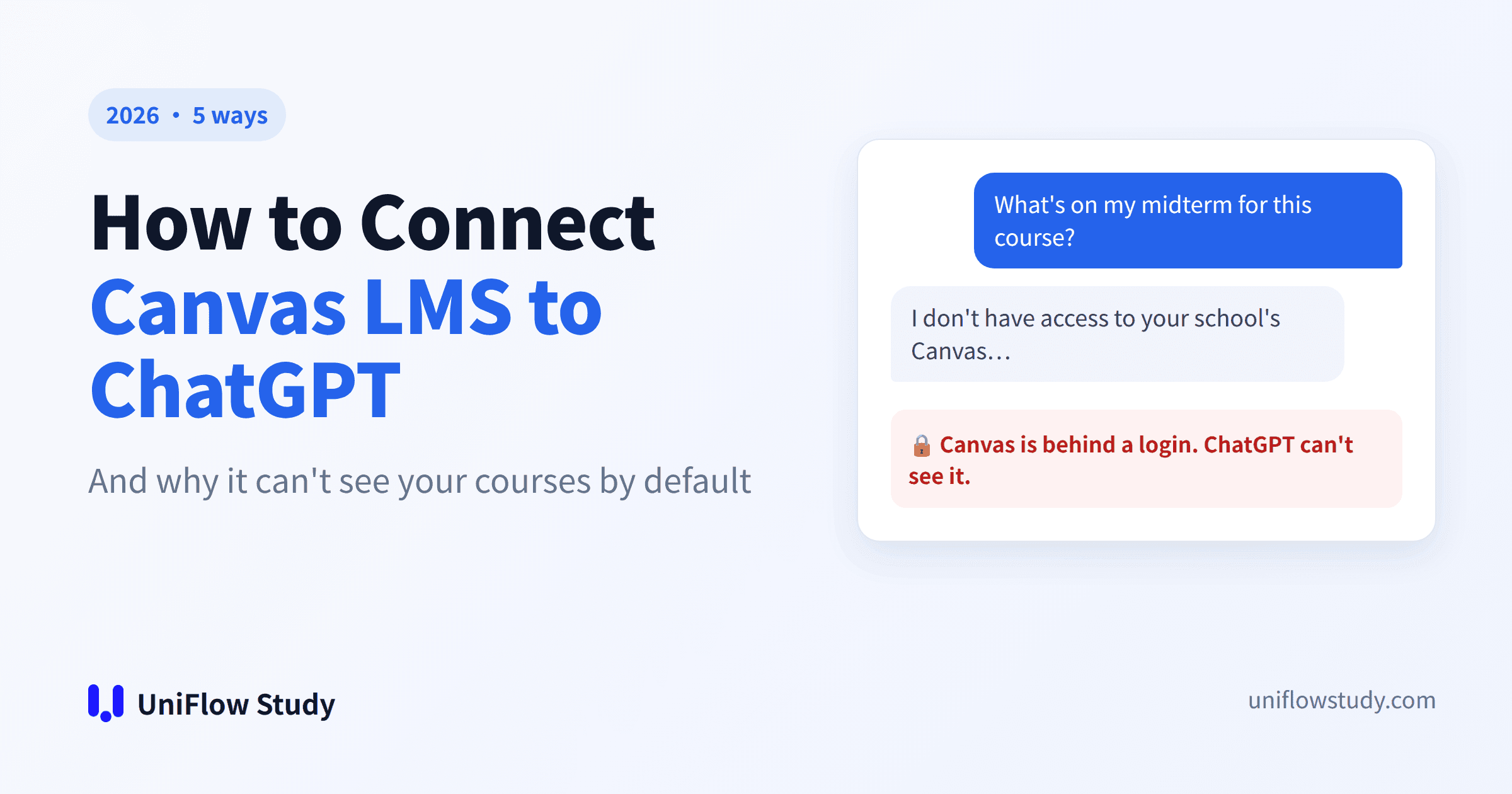
By default, ChatGPT can't see your Canvas courses. Canvas sits behind a login, and ChatGPT's web search only reads public pages.
There are five ways to fix that:
- Upload your files by hand.
- Bridge Canvas to ChatGPT with an extension.
- Run your own MCP server.
- Use AI your school has deployed.
- Switch to a study tool that's already connected to Canvas and can also listen to your lectures.
The first four share a blind spot: none of them capture what your professor says in class.
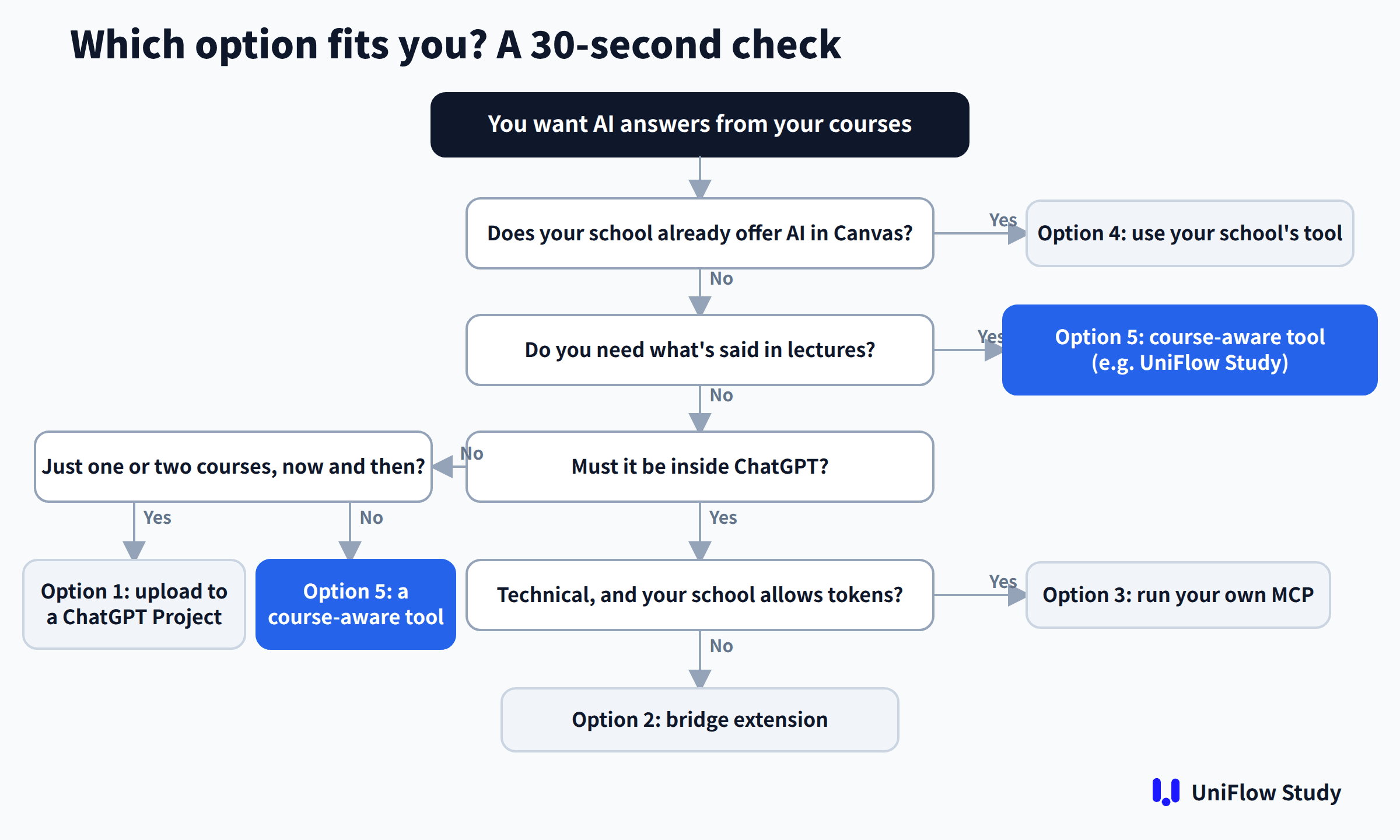
Quick answer
- You want every course covered, kept up to date, including what's said in lectures: option 5, such as UniFlow Study. It transcribes lectures live with bilingual translation, and its answers cite your syllabus, lecture transcripts and announcements.
- Your school already offers an AI tool in Canvas: use it first (option 4).
- You only need help with one or two courses now and then: upload files to a ChatGPT Project (option 1).
- It has to happen inside ChatGPT: if you're technical and your school allows tokens, run your own MCP server (option 3). Otherwise, use a bridge extension (option 2), though these are still new.

Why ChatGPT can't access Canvas
- There's a login in the way. Canvas course pages, files and announcements sit behind a login. Search engines can't crawl them, so ChatGPT's web search can't read them either.
- There's no official Canvas plugin. ChatGPT has a plugins directory and can suggest plugins during a conversation. As of this writing, there's no official Canvas plugin in it, and no Canvas connector in Claude's directory either.
- School-level access is up to your school. Tools like the Claude LTI inside Canvas have to be switched on by your school, not by you.
The 5 options compared
| Option | Auto-sync | Includes what's said in class | Needs API token | Needs your school | Cost |
|---|---|---|---|---|---|
| 5 UniFlow Study | ✅ | ✅ Live lecture transcription + bilingual translation | No | No | Free plan |
| 1 Upload to ChatGPT | ❌ | ❌ | No | No | Included in your ChatGPT plan |
| 2 Bridge extension (e.g. Syla) | ✅ | No official mention found | No | No | Free tiers available |
| 3 DIY MCP | ✅ | ❌ | Yes | Your school must allow tokens | Free |
| 4 School-deployed AI | ✅ | Depends on the feature | No | Yes | Paid by the school |
← Swipe to see the full table →
Option 1: Upload your Canvas materials to ChatGPT
Steps
- Download the syllabus, slides and assignment instructions from Canvas.
- Create a Project in ChatGPT and add the files.
- Write project instructions: course name, exam dates, and anything your professor stressed.
- Ask your questions inside that project.
Pros: free, and works immediately.
Three common pitfalls
- It goes stale. When your professor posts a new announcement or changes an assignment, ChatGPT keeps answering from the old version.
- Nothing said in class is in there. "This will definitely be on the test" and "remember this approach" aren't in any file.
- It doesn't scale. Four courses with a dozen files each means a lot of downloading and uploading, and upload limits depend on your ChatGPT plan.
Note: course materials belong to your instructor and school. Using them for your own study is one thing; don't share them publicly.
Option 2: Bridge Canvas to ChatGPT with an extension
A browser extension reuses your logged-in Canvas session, reads your course materials and deadlines, and passes them to ChatGPT or Claude. The main example is Syla, which describes itself as a way to "Connect your Canvas courses to ChatGPT" and launched in August 2026.
Pros: it syncs automatically, and you keep working in ChatGPT.
Limits:
- It's very new, so check the permissions and privacy policy before handing over your course data.
- It only works in the browser.
- Its site doesn't describe live lecture transcription.
Option 3: Run your own Canvas MCP server (needs an API token)
MCP is an open protocol that lets AI assistants call outside tools. GitHub has several open-source Canvas MCP servers. Give one your school's Canvas URL and a personal API token, and you can query your courses from clients such as Claude Desktop or Cursor. Whether ChatGPT can use a custom MCP server depends on your account type.
Pros: flexible, and free.
Limits:
- You need some technical skill.
- Many schools don't let students create tokens; Texas A&M, for example, says they're not available to students. See our comparison for how to check yours.
- A token is effectively a key to your account.
- It still misses what's said in class.
Option 4: Check what your school already offers
Your school may already:
- run Claude, Gemini or another AI tool inside Canvas as an LTI app;
- have Canvas IgniteAI Study Tools turned on;
- be piloting Project Athena, the student AI study coach Instructure announced in July;
- have instructors setting AI-enabled assignments through the Instructure–OpenAI partnership.
Ask your TA or campus IT.
Pros: your school has vetted it, so there's no risk.
Limits: it isn't your decision. What you get is up to your school, and most of these tools only cover course files.
Option 5: Use a tool that knows your courses and listens to your lectures
Options 1–4 all give the AI the files in Canvas. But what's on the midterm, or which problem everyone gets wrong, is often something your professor only says out loud.
UniFlow Study adds one step: it makes the lecture part of the AI's material.
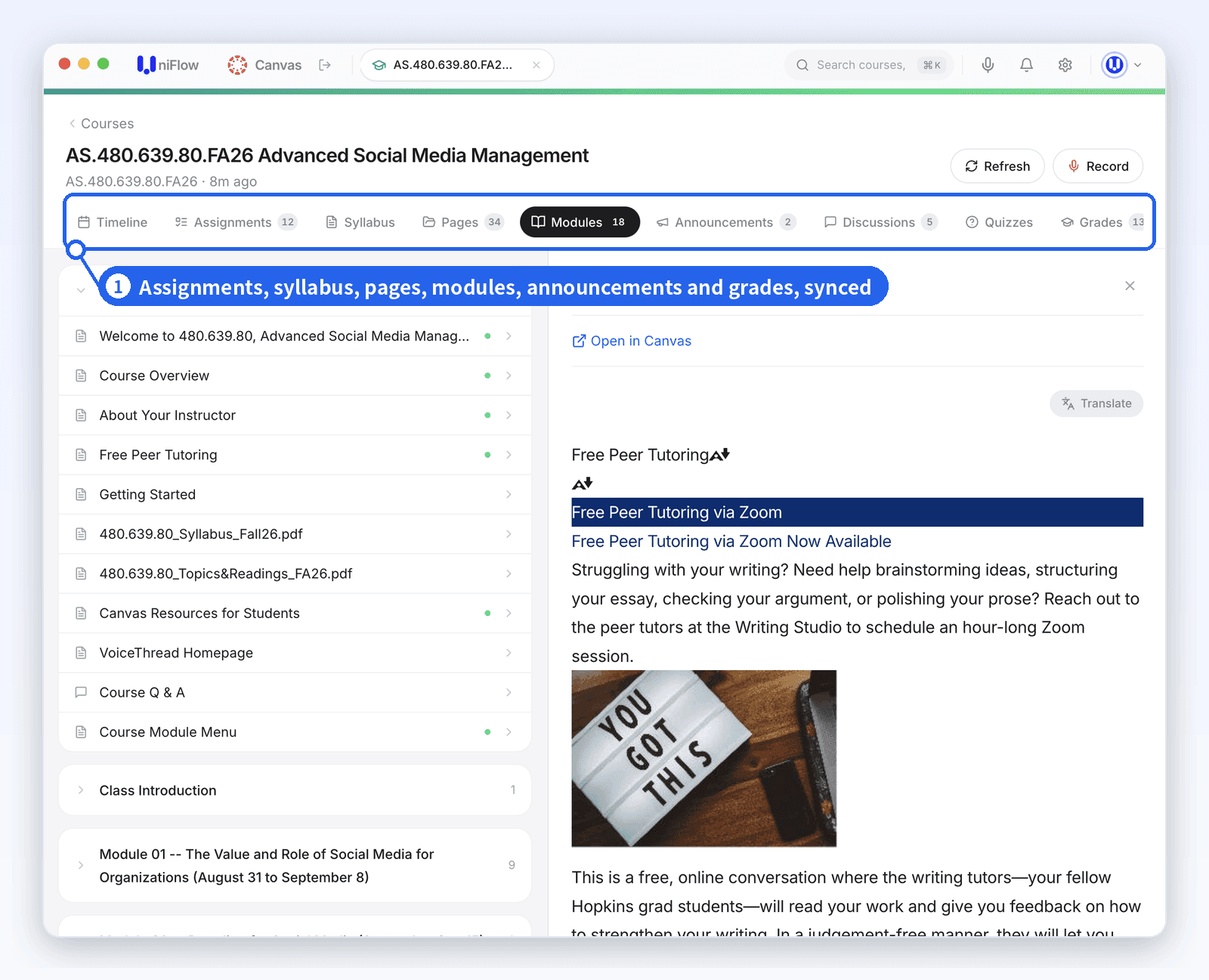
- Connects to Canvas. A desktop app with a built-in browser. You log in to Canvas with your own account, school SSO included, so there's no token, no extension and no school approval. Assignments, announcements, discussions, modules, syllabi and files sync for every course, and updates sync too.
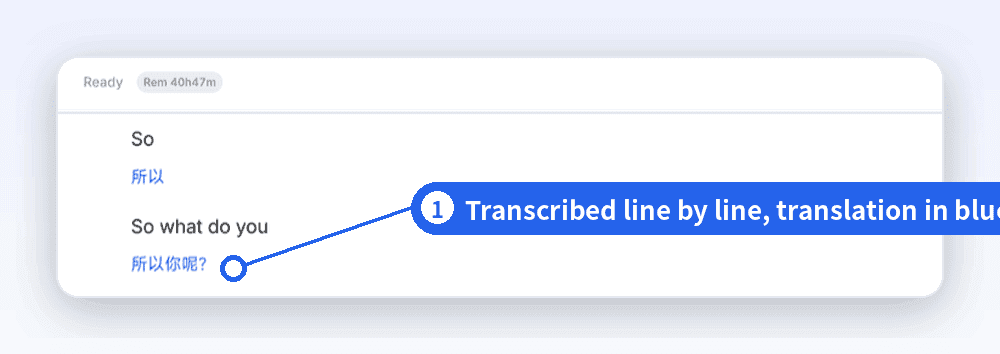
- Listens in class. Turn on live transcription and you see the original English and a translation side by side, so you understand the lecture while it's happening, not the night before the exam.
- Answers with sources. Ask "What's on the midterm?" and it pulls from the syllabus exam scope, your professor saying "this will definitely be on the test" in Lecture 6, and the March 5 announcement, citing each one.
Here's what live transcription looks like during class:
Same question, two approaches
| "What's on the midterm?" | Option 1: ChatGPT Project | Option 5: UniFlow Study |
|---|---|---|
| Exam scope in the syllabus | ✅ (if you uploaded it) | ✅ Synced automatically |
| Last week's review announcement | ❌ Unless you upload it again | ✅ Synced automatically |
| Professor saying "this will be on the test" in class | ❌ | ✅ From the lecture transcript |
| Cites its sources | Sometimes | ✅ |
← Swipe to see the full table →
FAQ
QCan ChatGPT connect to Canvas directly?
Not as of this writing. There's no official Canvas plugin in ChatGPT's plugins directory, so you need one of the five options above.
QIs it against the rules to upload course materials to ChatGPT?
It depends on your school and course. Personal study use is usually fine; sharing materials publicly isn't. The AI policy in your syllabus is the final word.
QWill my course materials be used for training?
ChatGPT's data controls let you turn off using your content to improve its models. UniFlow Study doesn't use your course data to train AI models.
QCan Claude connect to Canvas?
Schools can install it inside Canvas through the Claude LTI. On your own, you can use an open-source MCP server (option 3) or an extension that supports Claude (option 2).
QCan I use this alongside ChatGPT?
Yes. Use UniFlow Study to organize your courses and lecture transcripts, then bring the relevant excerpts into ChatGPT when you need deeper reasoning.
Sources
- ChatGPT plugins directory (OpenAI, July 2026)
- Claude LTI setup guide
- Syla
- Texas A&M token policy
- Project Athena announcement
- Instructure–OpenAI partnership announcement
Changelog: September 11, 2026 — first published.
Tired of uploading files, and still missing what's said in class? Download UniFlow Study free for Mac or Windows.
UniFlow Study is a desktop AI study assistant for Canvas (Mac & Windows). It syncs your courses through your own Canvas login, answers questions with citations to your syllabus, lecture recordings and announcements, and transcribes live lectures with bilingual translation. UniFlow Study is an independent product and is not affiliated with Instructure (Canvas) or OpenAI.